
LiftMaster Gate Opener Codes and Troubleshooting
By the H&D Garage Door team · Updated
How do you troubleshoot a LiftMaster gate opener?
Start by reading what the operator is telling you. LiftMaster gate operators built to the 2016 UL 325 safety update report problems three ways: alarm beeps, a two-digit diagnostic code on the control board display, and status lights on the board. The beep pattern tells you whether the gate locked out after hitting something or is running low on battery. The code tells you which part of the system raised the fault.
Many faults clear once the cause is removed: a car parked over a loop, a blocked photo eye, a dead remote battery or a gate that was left in manual mode. Others point to the control board, the batteries or the gate itself, and those need a technician. Our technicians work on automatic gate operators, and this guide is based on LiftMaster's own manuals and troubleshooting guide. For problems that apply to any brand, such as storm damage or a sagging gate, see our general guide to a gate opener that's not working.
Which LiftMaster gate operator do you have?
Look for the model label on the operator or inside the control box. LiftMaster's troubleshooting guide for its 2016 UL 325 compliant operators covers these families, all with model numbers ending in U.
- Residential swing arms: LA400U, LA412U and LA500U
- Residential swing and slide: RSW12U and RSL12U
- Commercial DC swing and slide: CSW24U and CSL24U
- Commercial swing and slide: CSW200U, SL3000U, SL585U and SL595U
What if your operator is older?
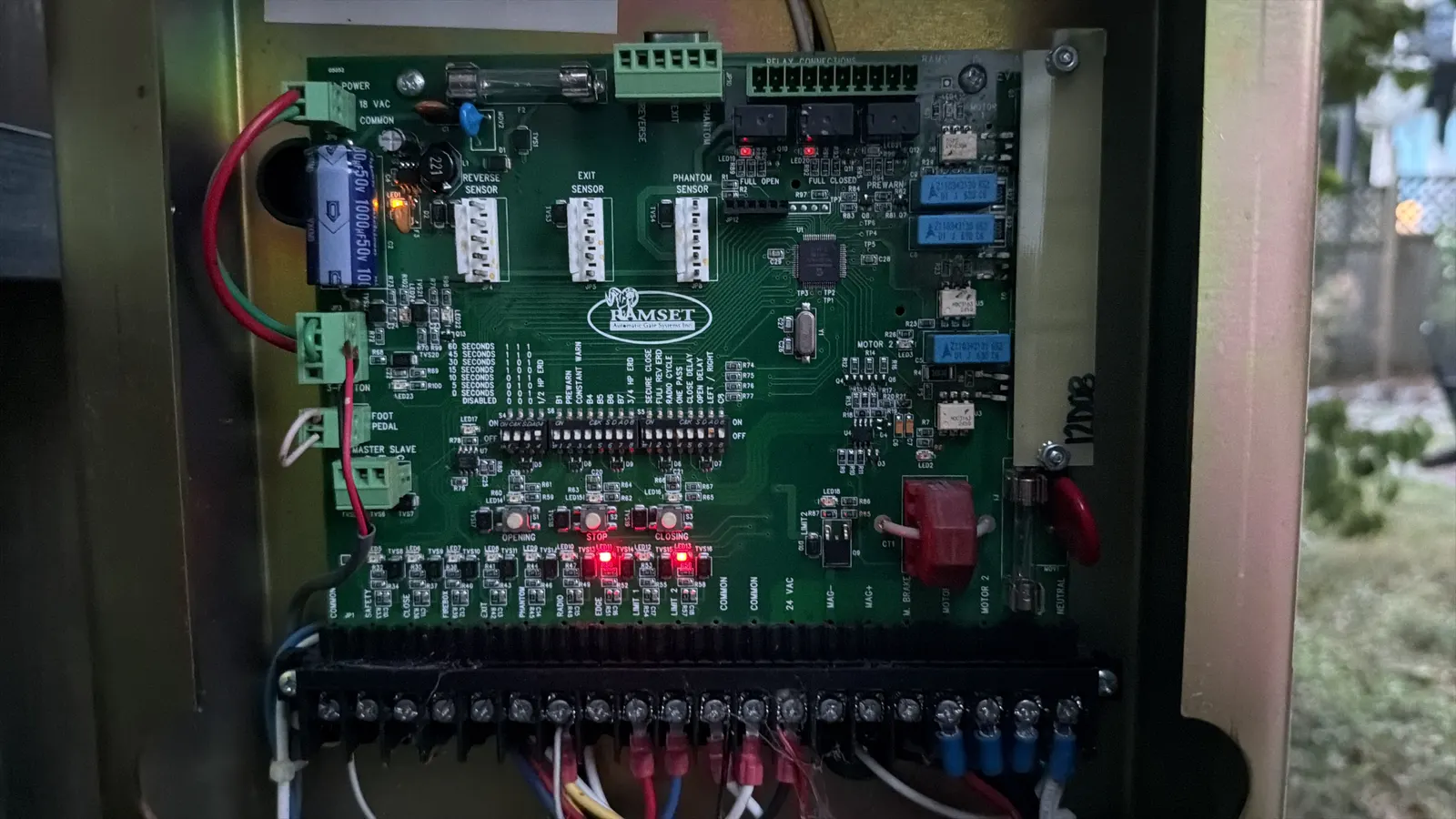
Operators built before the 2016 update use different boards and different indicators, so the codes in this article may not match. Keep the owner's manual for your exact model, since it lists the indicators for that board. On many newer boards the display briefly shows the operator type and firmware version at power-up, which is a quick way to confirm you are reading the right chart. Garage door openers from the same company use a separate system, explained in our guide to LiftMaster garage door opener error codes.
What do the alarm beeps on a LiftMaster gate operator mean?
A long alarm means the gate has locked itself out for safety. Under UL 325, when the operator's built-in sensing or a contact sensor detects an obstruction twice in a row, the alarm sounds for up to five minutes and the operator won't run until it is reset. LiftMaster's manuals list the usual reasons: the gate hit a person, car or object, hinges are too tight or broken so the gate won't move freely, a car pushed the gate while it was moving, something was resting on the gate frame, or the gate struck the driveway or a curb.
Clear the cause first. Then the reset button on the side of the control box shuts off the alarm and resets the operator, as LiftMaster describes. If the alarm comes back on the next run, the gate is still meeting resistance and needs a technician.
Three short beeps with each command mean something different: the battery is low. A steady beep while the gate moves only as long as you hold a button means a photo eye or safety edge has been blocked for more than three minutes, so the operator falls back to constant-pressure mode.
How do you read a LiftMaster gate diagnostic code?
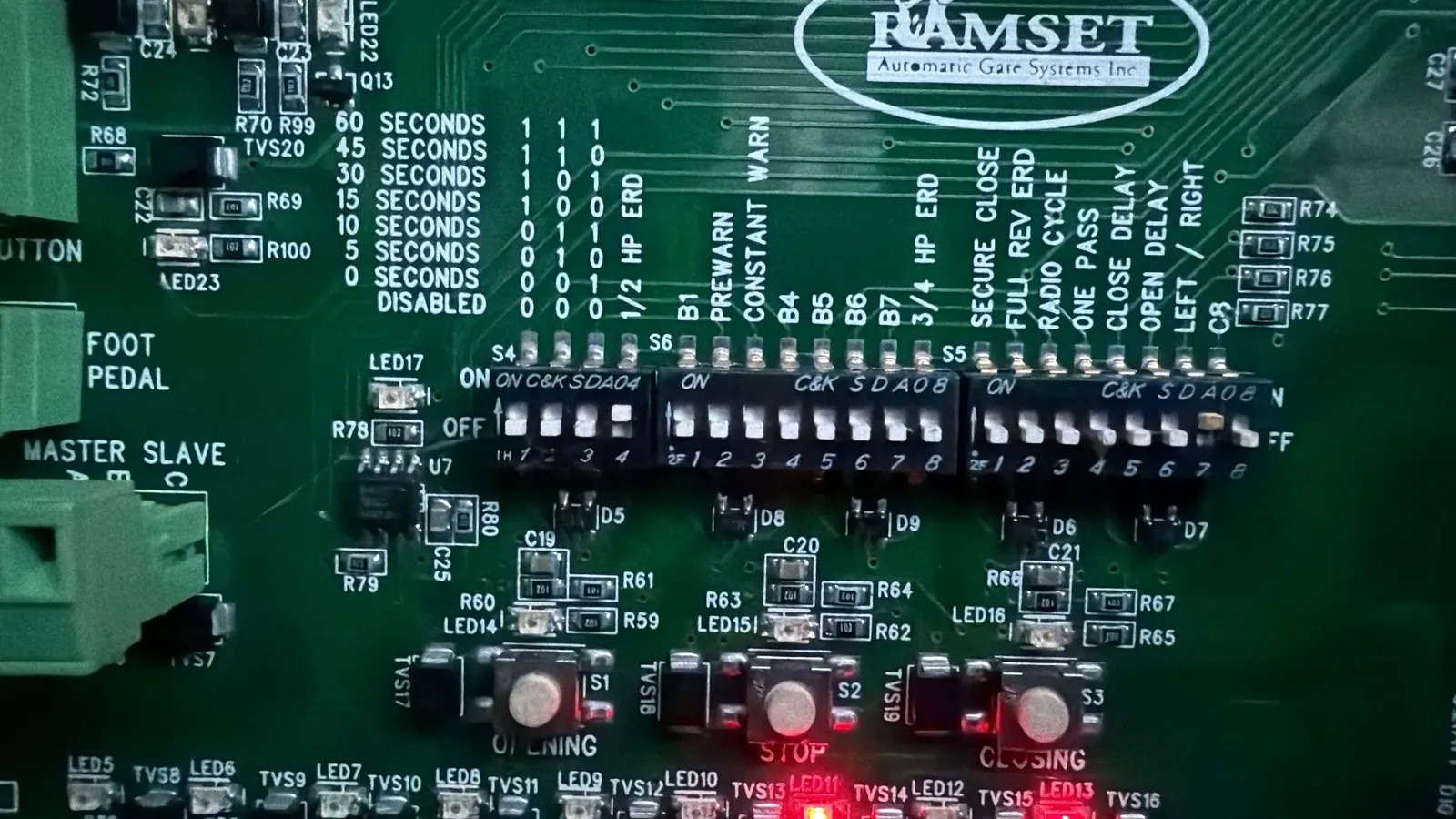
On the current boards the code shows on a two-digit display on the control board, which keeps a history of the last 20 codes. LiftMaster's guide brings up that history by pressing and holding STOP, then CLOSE, then OPEN until "Er" appears. The display then shows a sequence number followed by the code itself. Only press the display buttons if the board is easy to reach without touching any wiring. On AC-powered commercial operators, or if you aren't comfortable opening the control box, leave it closed, note anything shown on the display and let the technician read the history on site.
What do the LiftMaster gate codes mean?
These meanings come from LiftMaster's code chart for its 2016 UL 325 operators. Codes marked as safe to check are ones where the fix is clearing a path, waiting for power or using a documented owner step. The rest need a technician.
- 31: the main control board had an internal failure; LiftMaster suggests a full power reboot, and a repeat means a board replacement (technician)
- 32 and 33: the arm's drive is disengaged, so the gate swings freely by hand; usually the manual release was left open (safe to check)
- 40, 41 and 42: battery overvoltage, battery overcurrent or no battery found at startup (technician)
- 43, 44 and 45: exit, shadow or interrupt loop error, meaning a vehicle loop or its detector has a fault (technician)
- 46: the battery in a wireless safety edge is low (owner or technician, per your manual)
- 50: run-distance error; on DC operators LiftMaster points to an unbalanced gate or one installed on too steep a grade (technician)
- 53: a brownout, where the power supply dipped below the allowed level (check power, then technician if it repeats)
- 60: no monitored safety device is connected, so the operator won't run (technician)
- 61 to 66: a photo eye or safety edge has been held or blocked for more than three minutes (safe to check for an obstruction)
- 70 to 75: a photo eye or edge was triggered and reversed or stopped the gate (safe to check; wiring or alignment if nothing was there)
- 91 to 94: the operator's own force or speed sensing detected an obstruction and reversed (check the path, then technician if it repeats)
- 99: normal operation, no action needed
Why does my LiftMaster gate open but not close?
LiftMaster's troubleshooting chart lists several reasons a gate will open and then refuse to close, and some of them are easy to rule out. A vehicle parked over a loop, or an open command that is stuck on, holds the gate open. So does a photo eye or close edge that is blocked or dirty. If the operator lost AC power and its option switch is set to open on power failure or on low battery, it will stay open by design until power returns or the batteries recover.
One cause catches owners by surprise. Pressing the reset button once while the gate is open turns off the Timer-to-Close, and LiftMaster calls this party mode. The gate will stay open until someone presses reset again or uses a programmed remote. If the timer was never set, the gate will also wait for a command rather than closing on its own.
Why won't my LiftMaster gate remote or keypad work?
Start with the remote battery and try the remote from a few feet away. If it works up close but not from the street, the operator's antenna, its wire or radio interference is the likely issue. The board has a transmitter light that comes on when it hears a remote. If that light comes on and the gate still doesn't move, the remote isn't the problem.
Remotes are added with the LEARN button on the control board, following the steps in your manual. Boards have a memory limit, and once it is full the memory has to be erased before new remotes can be added, which also removes the existing ones. Keypads, intercoms, card readers and phone entry add their own links to the chain. Those are covered on our gate access control page, and wiring them is a job for a technician.
How do battery backup and solar LiftMaster gates behave?
Many LiftMaster DC operators run on batteries charged by AC power or by solar panels. A BATT LOW light on the board and three beeps with each command are the low-battery warnings. When AC power is out and the battery drops to a critically low level, the gate latches open or closed, depending on how the installer set the battery-fail switch, until power returns or the battery recovers.
Solar gates need sun on the panel all day. LiftMaster's instructions call for panels in an open area with no shade, cleaned regularly, and they warn that trees which don't shade the panel in summer may shade it in winter, when the sun sits lower. LiftMaster also states that its solar setup isn't supported where temperatures fall below -4°F, which matters for gates in the colder parts of Ohio and Wisconsin. Battery replacement and charging problems belong with a technician.
How do you open a LiftMaster gate when the power is out?
LiftMaster documents a manual release for a power failure on its swing arm operators such as the LA400. Use it only when the gate is not moving and nobody is in its path. Insert the key into the lock on the arm and turn it a half turn counterclockwise, then turn the release lever a half turn counterclockwise. The arm is now disengaged and the gate can be moved by hand.
To put it back, turn the lever a half turn clockwise, turn the key a half turn clockwise and remove the key. LiftMaster notes that the operator may run slowly until it completes one full open and close cycle. If the release is left open, the board will show code 32 or 33. Other models release differently, so follow the manual for yours, and don't move a gate by hand if it is sagging, damaged or off its track.
When should you stop and call a gate technician?
Call when the alarm returns after you've cleared the path, when codes point to the board, the batteries, a loop or a missing safety device, or when the gate drags, sags or has a bent arm. Force and travel limits are part of the gate's safety system, and LiftMaster says to retest the gate after any change to them. LiftMaster also asks property owners to test the safety devices every month. Never disconnect photo eyes or prop a gate open to keep it working.
Our automatic gate repair service handles operator, sensor and loop problems. HOA entrances and business gates run far more often, so see commercial gate repair for those. In Middle Tennessee, our Nashville automatic gate repair page covers local service. Call (888) 754-4130 and have your model number and any code ready.