
LiftMaster and Chamberlain Error Codes and Blinking Lights: What They Mean
By the H&D Garage Door team · Updated
What do LiftMaster and Chamberlain blinking lights mean?
When a LiftMaster or Chamberlain opener blinks, it is reporting a diagnostic code. The pattern points to the part of the system that has a problem, such as the safety sensors, the wall control, the motor or the door itself. LiftMaster and Chamberlain are made by the same company, Chamberlain Group, so their codes match.
Newer openers flash the UP and DOWN arrow buttons on the motor unit. Older models flash a small light next to the Learn button. The main light bulbs can also flash, which usually means a sensor issue or that lock mode is on. The codes below come from Chamberlain Group's official support pages. If your code is not listed, your owner's manual has the full chart for your model.
How do you read the error code on your opener?
Look at the motor unit on the ceiling. If it has UP and DOWN arrow buttons, count how many times the UP arrow flashes, then how many times the DOWN arrow flashes. The pattern repeats. Two UP flashes followed by one DOWN flash is code 2-1. These arrow codes apply to Security+ 2.0 and Security+ 3.0 openers.
If your opener has no arrows, count the flashes of the LED next to the Learn button instead. The model number is printed on a label on the motor unit, which helps you match the right chart.
Also notice the main light bulbs. Chamberlain's support pages say the lights flash ten times when a safety sensor problem stops the door, and twice when the LOCK button on the wall control is on.
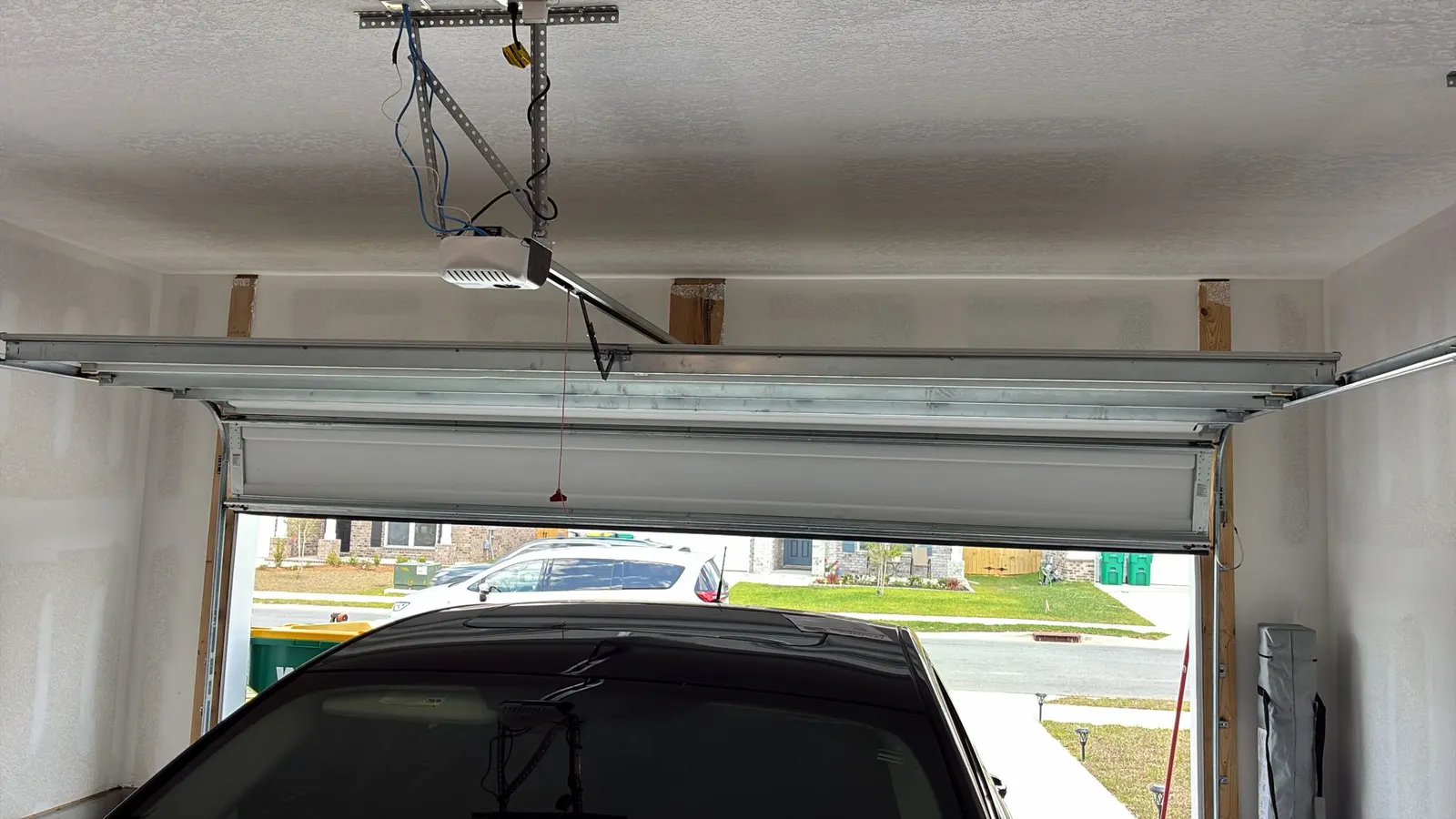
What do error codes 1-1 and 1-2 mean?
Both are safety sensor codes, and both stop the door from closing. They are the codes homeowners see most often and the ones you can usually sort out yourself.
Code 1-1 means the safety sensors are blocked, misaligned, disconnected or have a broken wire. Typically, the door starts to close and then reverses. Clear the doorway, clean the lenses, and check that the amber and green sensor lights are both steady.
Code 1-2 means the sensor wires are reversed or shorted. The door will not close at all. Look for pinched or damaged wire, especially where it is stapled to the wall. Wiring repairs are part of garage door opener repair, and our guide to sensor lights explains what each light means.
What do codes 4-1, 4-2, 4-3 and 4-4 mean?
These codes mean the opener detected that the door was harder to move than it expected. Chamberlain describes them this way.
- 4-1, Resistance While Closing: the door reverses, stops or struggles on the way down
- 4-2, Resistance While Opening: the door stops before it fully opens
- 4-3, RPM Lost While Closing: the door stops and reverses right before it touches the floor
- 4-4, RPM Lost While Opening: the motor speed dropped while the door was opening
Why do 4-series codes often point to the door, not the opener?
The opener is built to guide a balanced door, not to lift a heavy one. When the motor feels extra resistance, the cause is often in the door: worn rollers, dry hinges, a bent track or springs that have lost tension. Chamberlain's own instructions for these codes include testing door balance and carry a clear warning never to adjust springs yourself.
You can safely clear obstructions and look for rollers that have popped out of the track. If the door feels heavy, hangs crooked or has a gap in the spring above it, stop using it. That calls for broken spring repair or a garage door repair visit.
What do codes 1-5, 1-6 and 4-5 mean?
Code 1-5, RPM Not Detected, means the opener did not sense the motor turning right after you pressed the button. You may hear the opener hum or click while the door barely moves or does not move. This can be an opener fault, but it is also a classic sign of a door that is too heavy to lift, such as one with a broken spring.
Code 1-6, Unexpected Door Movement, means the door moved without a command. For example, it opens all the way and then drifts back down. Chamberlain points to door balance first.
Code 4-5, Unrecognized Travel Module, means the opener does not recognize the travel module installed in it. That is a parts issue for a technician.
What do codes 2-1 to 2-5, 3-5 and 5-5 mean?
Codes 2-1 through 2-5 mean Logic Board Component Failure. The opener has detected a possible problem with an internal electronic part, and it may not respond to anything. Chamberlain suggests unplugging the opener for five seconds and plugging it back in. If the code returns, the logic board may need replacing.
Code 3-5 is the Cable Tension Monitor code. It appears on openers that have this monitor, and it means the system detected a cable condition that affects safe operation. Chamberlain says not to adjust cables yourself. Treat it like a loose or slack cable and stop using the door; see what to do when a cable comes off.
Code 5-5 means a myQ-compatible remote light is required before the opener can move the door unattended, such as from the app or a schedule. The wall button still works.
What do the Learn button flashes mean on older openers?
Openers without arrow buttons use a flash count on the LED next to the Learn button. Chamberlain lists these meanings.
- 1 flash: a broken or disconnected wire to a safety sensor
- 2 flashes: a shorted sensor wire or reversed black and white wires
- 3 flashes: a door control problem, such as shorted wires or a faulty wall control
- 4 flashes: the sensors are misaligned; the sending light is steady but the receiving light is dim or flashing
- 5 flashes: the opener is not detecting motor RPM in the first second of travel
- 6 flashes: motor circuit failure, which calls for a new receiver logic board
Should you repair or replace an opener that keeps showing codes?
Many codes point to a part that can be replaced, such as a sensor, wall control, logic board or travel module. On a newer opener, that repair is usually the sensible choice. Replacement is worth comparing when the opener is older, the same codes keep returning after repairs, parts are hard to find, or you want features your current model lacks.
If you're weighing a new unit, our garage door opener installation page explains what that job involves. Where storms and outages are common, such as Middle Tennessee, codes often show up right after the power comes back. Our Nashville opener repair page covers that situation.
What should you note before calling for help?
A few details help the technician arrive prepared. Write down the code or flash count, the model number from the label on the motor unit, and when the problem started. Note whether it followed a storm, an outage or a bump to the door, and whether the wall button, remotes and keypad all behave the same way. Photos of the sensors and the area above the door, taken from a safe distance, help too.